# 📌 0. How to Find Required Parameters
### To properly deploy BookStack, you need to provide the following network parameters and certificate ARN:
#### **1️⃣ VpcCidrBlock (CIDR block for the VPC)**
• If you are **creating a new VPC**, use `10.0.0.0/16` as the default value.
• If you are **using an existing VPC**, retrieve the CIDR block:
• Open **AWS Console** → **VPC** → **Your VPCs**
[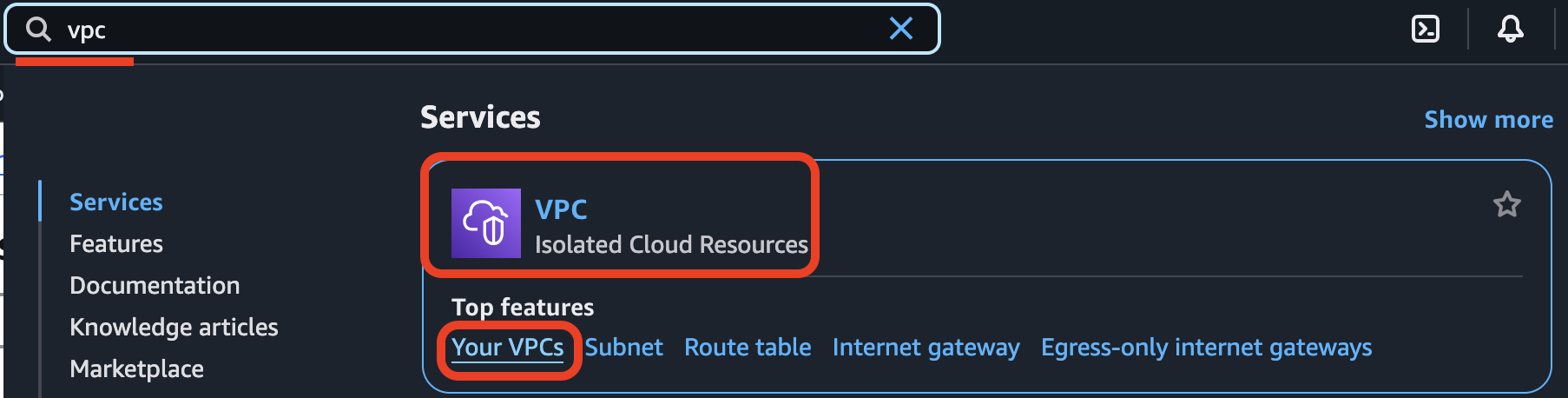](https://wiki.devsecopsinc.io/uploads/images/gallery/2025-03/0-vpc-your-vpc.png)
• Locate your VPC and copy the **IPv4 CIDR** value.
[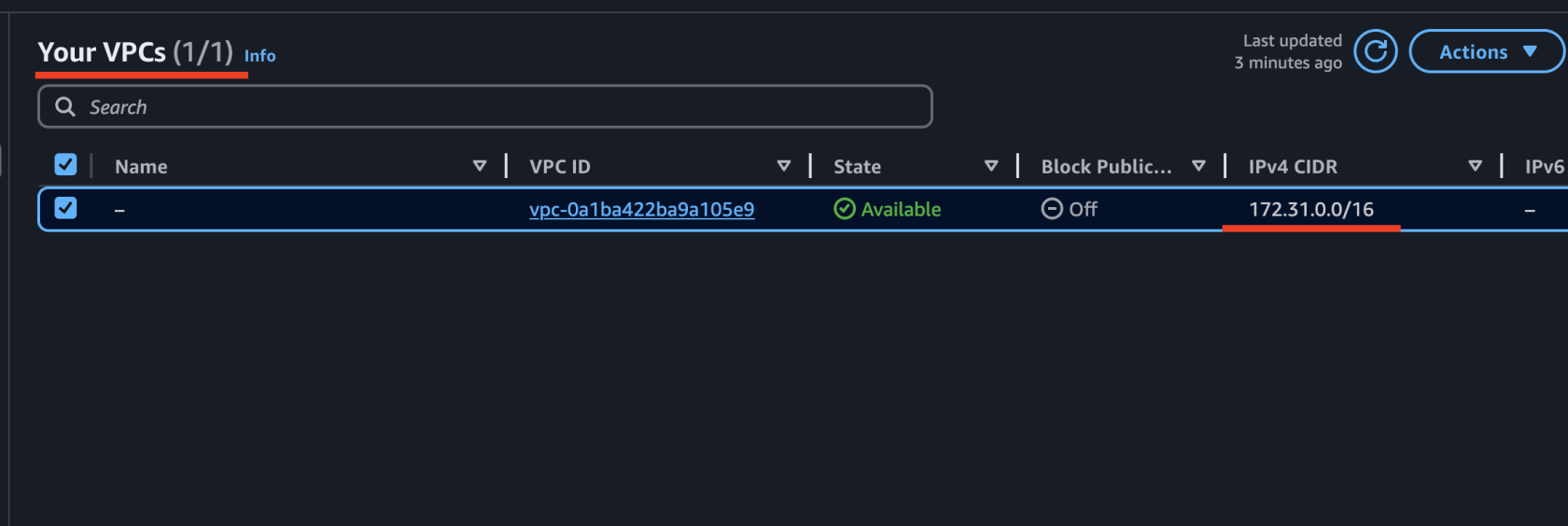](https://wiki.devsecopsinc.io/uploads/images/gallery/2025-03/0-vpccidrblock.png)
#### **2️⃣ VpcId (VPC ID)**
• Locate your VPC and copy its **VPC ID** (e.g., vpc-0a1ba422ba9a105e9).
[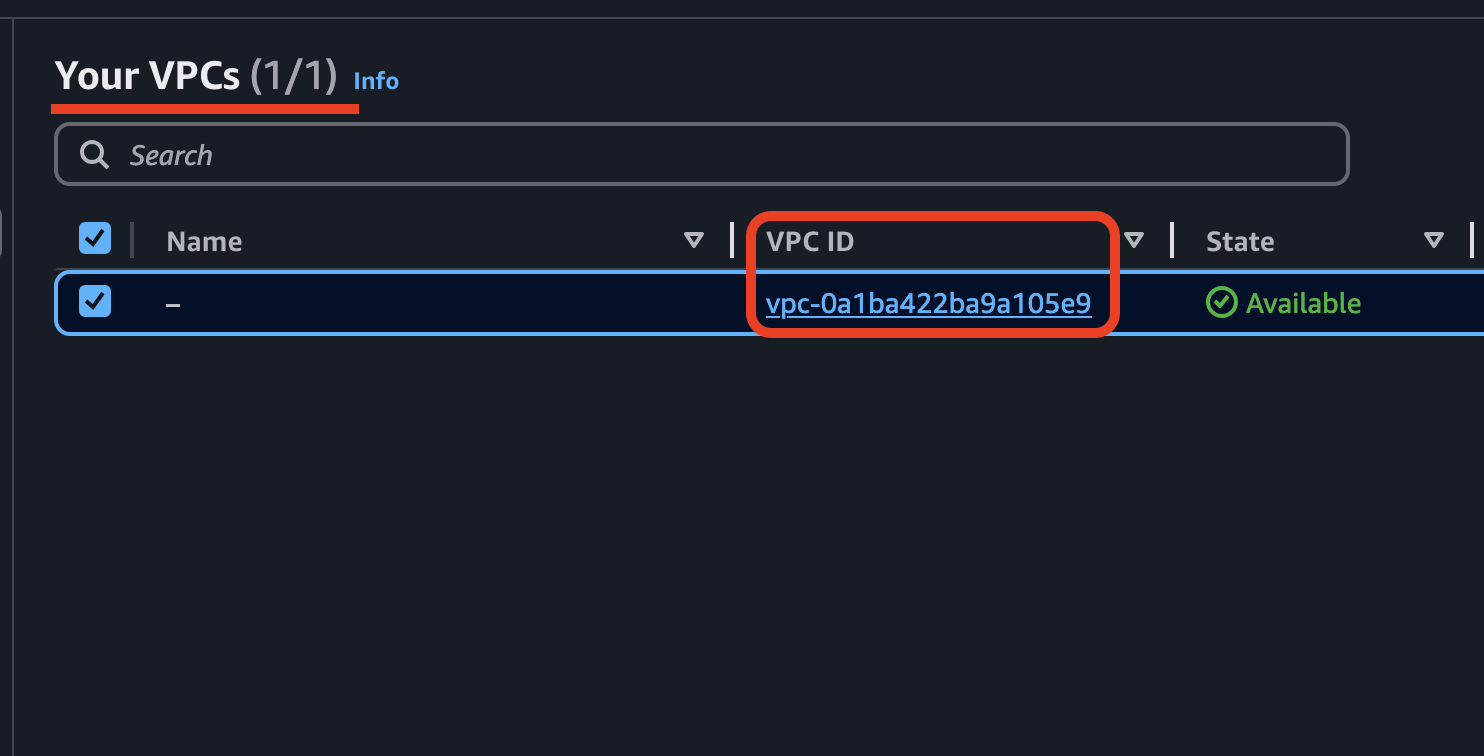](https://wiki.devsecopsinc.io/uploads/images/gallery/2025-03/0-vpcid.png)
#### **3️⃣ Subnet1Id & Subnet2Id (Subnet IDs)**
• Open **AWS Console** → **VPC** → **Subnets**
• Select your VPC, and at the bottom panel, navigate to the **Resource Map** tab.
• Here, you will see a list of all subnets associated with your VPC.
• Choose two **private subnets** (preferably in different Availability Zones) and copy their **Subnet IDs** (e.g., subnet-040155a08a9508bb6, subnet-02e4a590db71371f9).
[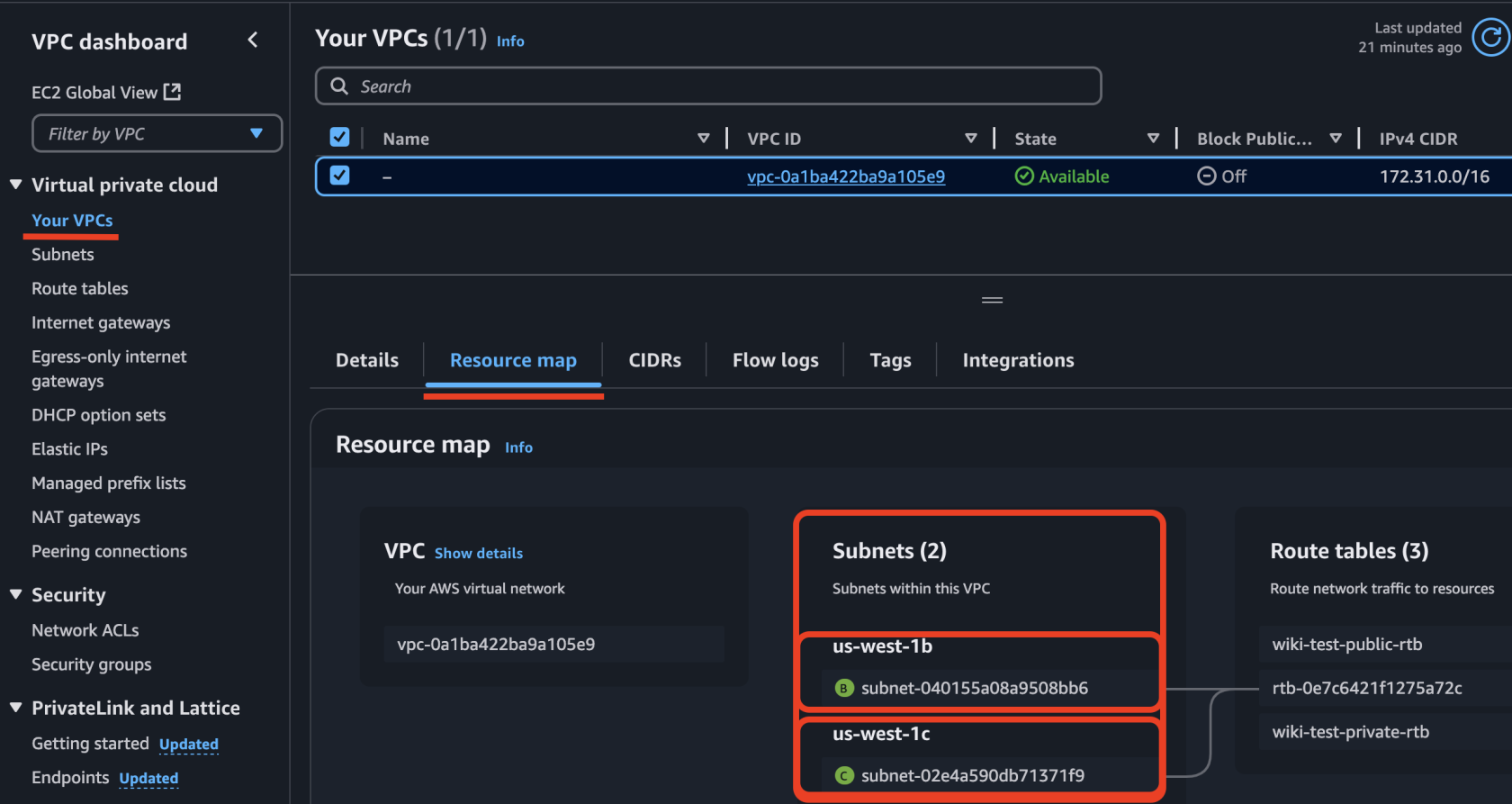](https://wiki.devsecopsinc.io/uploads/images/gallery/2025-03/0-vpc-subnets.png)
**⚠** **Important Notice!** Ensure that the region of your resources matches the deployment region in CloudFormation. If you select resource IDs from **Region A** but deploy in **Region B**, you will encounter an error stating that the specified resources do not exist. This happens because each AWS region has its own unique set of resource IDs.
#### 4️⃣ **Obtain an SSL Certificate (if you don’t have one):**
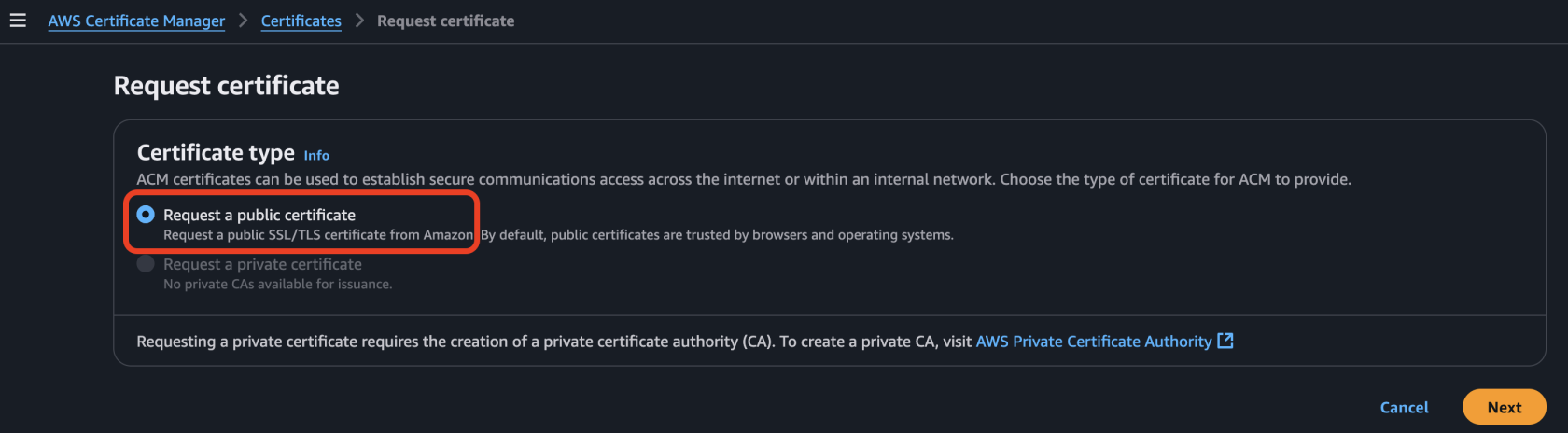
• Navigate to **AWS Certificate Manager (ACM)** in the AWS Management Console.
• **Request** a new certificate by selecting **“Request a public certificate”** and click **Next**.
[](https://wiki.devsecopsinc.io/uploads/images/gallery/2025-03/1-req-pub-cert.png)
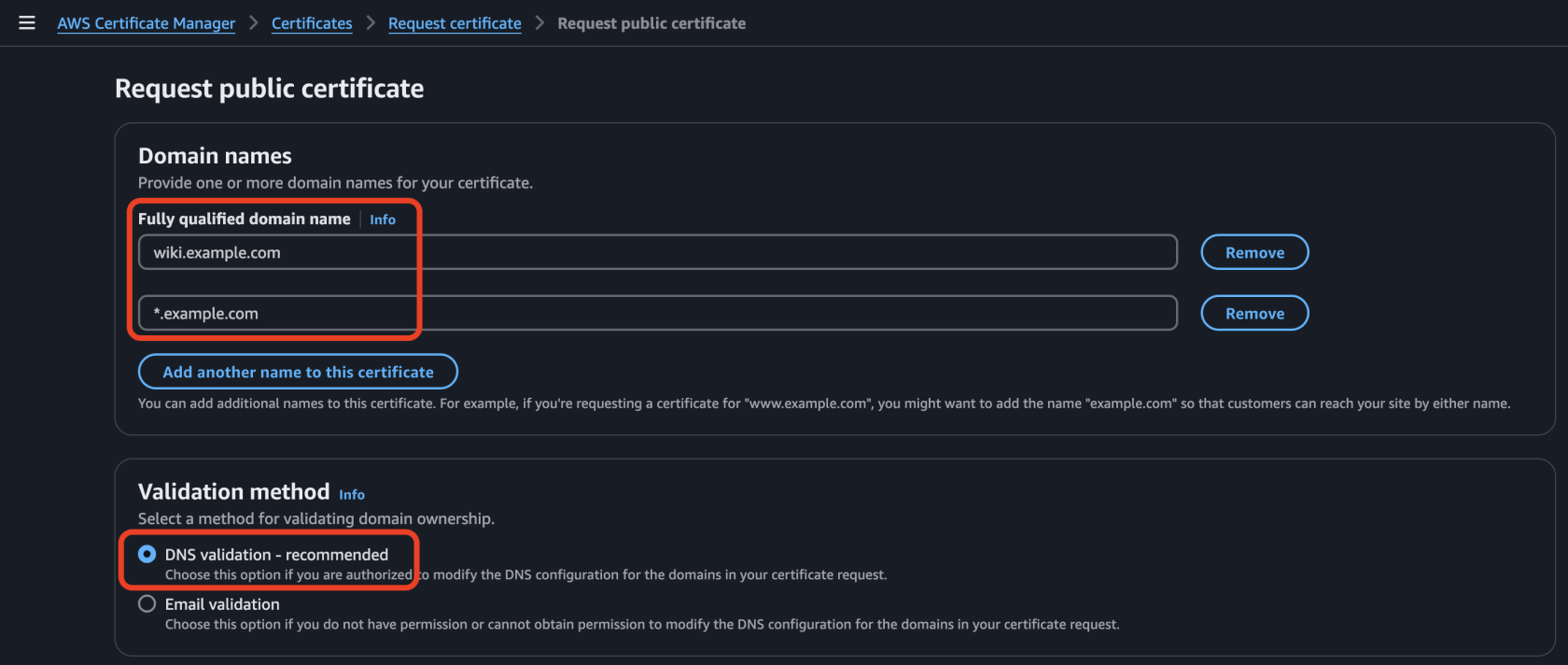
• Follow the steps to validate your domain using **DNS validation (recommended)** or **Email validation**.
[](https://wiki.devsecopsinc.io/uploads/images/gallery/2025-03/2-req-pub-cert-configuration.png)
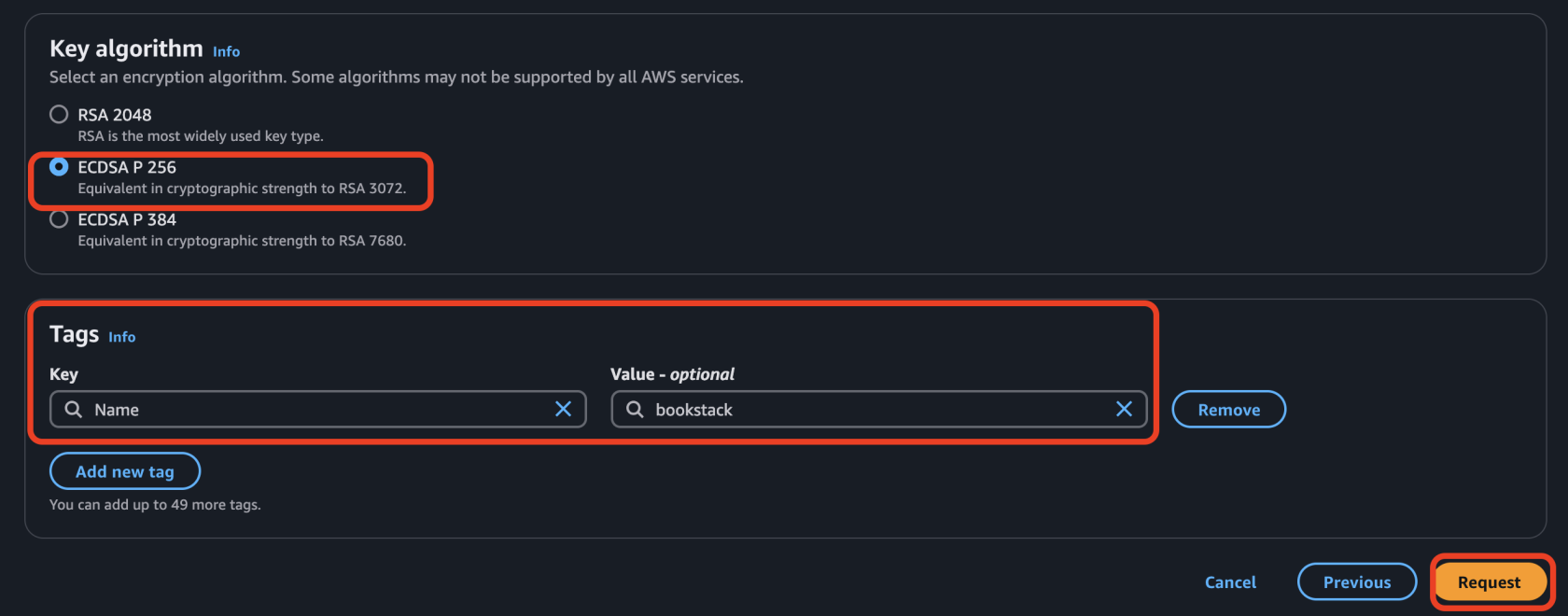
• Select `ECDSA P-256` as the key algorithm. This is equivalent in cryptographic strength to **RSA 3072** but provides better performance. If `ECDSA P-256` is not supported by your use case, you can use `RSA 2048` instead (though it is less efficient). Create the tag with **Key=`Name`**, **Value=`bookstack`** (or any other meaningful name that helps you recognize it)
[](https://wiki.devsecopsinc.io/uploads/images/gallery/2025-03/3-req-pub-cert-algoritm.png)
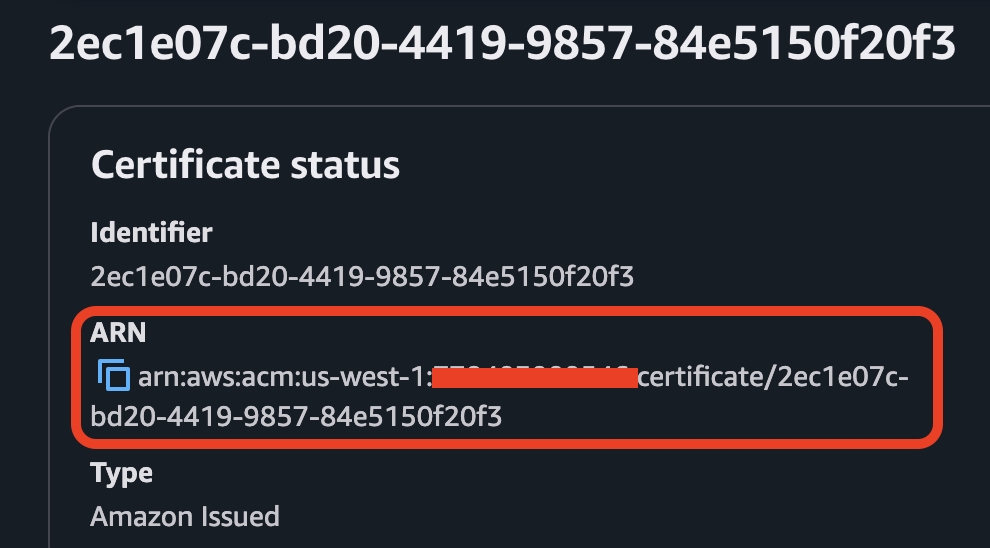
• Once the certificate is issued, copy its **ARN** and use it in the **SSLCertificate** parameter during deployment.
[](https://wiki.devsecopsinc.io/uploads/images/gallery/2025-03/4-cert-arn.png)
**⚠** **Important Notice! **Ensure that the certificate is created in the **same AWS region** where you are deploying the CloudFormation stack. If the certificate is in a different region, the ALB will not be able to use it, and the deployment will fail.